WordPress

Staging that pushes back.

KLYRN runs WordPress on a server you own: a real staging copy with its own database and certificate, a push that backs the live site up before it touches it, ten health signals that say something specific, and an update policy that checks the site is still standing afterwards.

Staging

A second site, not a second directory.

One command makes a copy of a live WordPress site with its own nginx vhost, its own PHP-FPM pool, its own database and its own Let's Encrypt certificate. It lives in the same hosting account as the live site. That is deliberate: putting it anywhere else would make staging a way to move data between tenants.

root@web1: staging verified on a live pair
# klyrn site staging create example.com
  staging.example.com: own vhost, own pool, own database, own certificate

# klyrn site staging refresh example.com
  takes live again and discards everything done on the copy

# klyrn site staging push example.com --confirm example.com
  backs live up first, and stops if that fails
Real commands, with the refusals and the reasons documented.

Every step of the staging flow

kept out of search

Protected twice, because one of them is advisory

The copy has WordPress's blog_public set to 0 and a staging vhost that always sends X-Robots-Tag: noindex, nofollow, noarchive. Any plugin can undo the first. Nothing inside WordPress can remove a header nginx adds.

wp-config.php

Never copied after the first time

That file names the database user and its password, and KLYRN does not store database passwords, so a config arriving from the other side could not be repaired if it were wrong. It also carries the other site's salts, which signs out every logged-in user. Both directions exclude it.

addresses

Rewritten through WP-CLI, so serialised PHP survives

A search and replace across a WordPress database with sed corrupts every serialised array whose string length no longer matches. KLYRN uses WP-CLI with --precise --all-tables, three times per push, and skips post GUIDs.

The push

The backup is not optional.

Pushing overwrites a production website. KLYRN makes you type the live domain, and then it takes a real backup (the same engine, the same manifest, the same verification as a scheduled one) before it changes anything. If that backup fails, nothing is changed and the job stops there.

Every step of a push

  1. ConfirmType the live domain. A confirmation you can click through is not a confirmation.
  2. Back live upFiles, database and cron, with a SHA-256 per file, listed back and checked before it counts as verified. A failure here stops the push.
  3. Push filesrsync with delete, excluding wp-config.php, the caches and .git. Optional: --data-only leaves them alone.
  4. Push the databaseStreamed from one database into the other through a pipe, so the server never needs twice the site's size free.
  5. Restore live's identityAddresses rewritten back to the live name, and indexing switched back on: live must not inherit staging's noindex.

Health

Ten signals, no score out of a hundred.

A single number that mixes an outdated plugin with a world-readable wp-config.php is a number that hides the second one. KLYRN reports each signal separately, with a named fix where one exists.

klyrn wp health example.com: the signals, in the order they run
SignalWhat it looks atNamed fix
coreWordPress version. A pending minor release is critical, because minor releases are the security ones.None
databaseThat it answers, and that it belongs to this site.None
addressesSite address, home address and the certificate covering them.None
phpThe PHP branch against its published security-support end date. Under 180 days left is flagged.None
debugDebug output reaching visitors.disable-debug
cronScheduled events, counting those more than ten minutes overdue.None
wp-configPermissions on the file holding the database password. World-readable is critical.fix-wp-config-permissions
filesFiles under the document root that anyone can write to.repair-file-permissions
file-editorThe dashboard plugin and theme editor, which turns a stolen password into code execution.disable-file-editor
checksumsCore files against WordPress's published checksums.None

The report reads exactly six constants out of wp-config.php. The rest of that file is the database password and eight authentication salts, and there is no reason for them to be in this process's memory.

Updates

Backed up, applied, then checked.

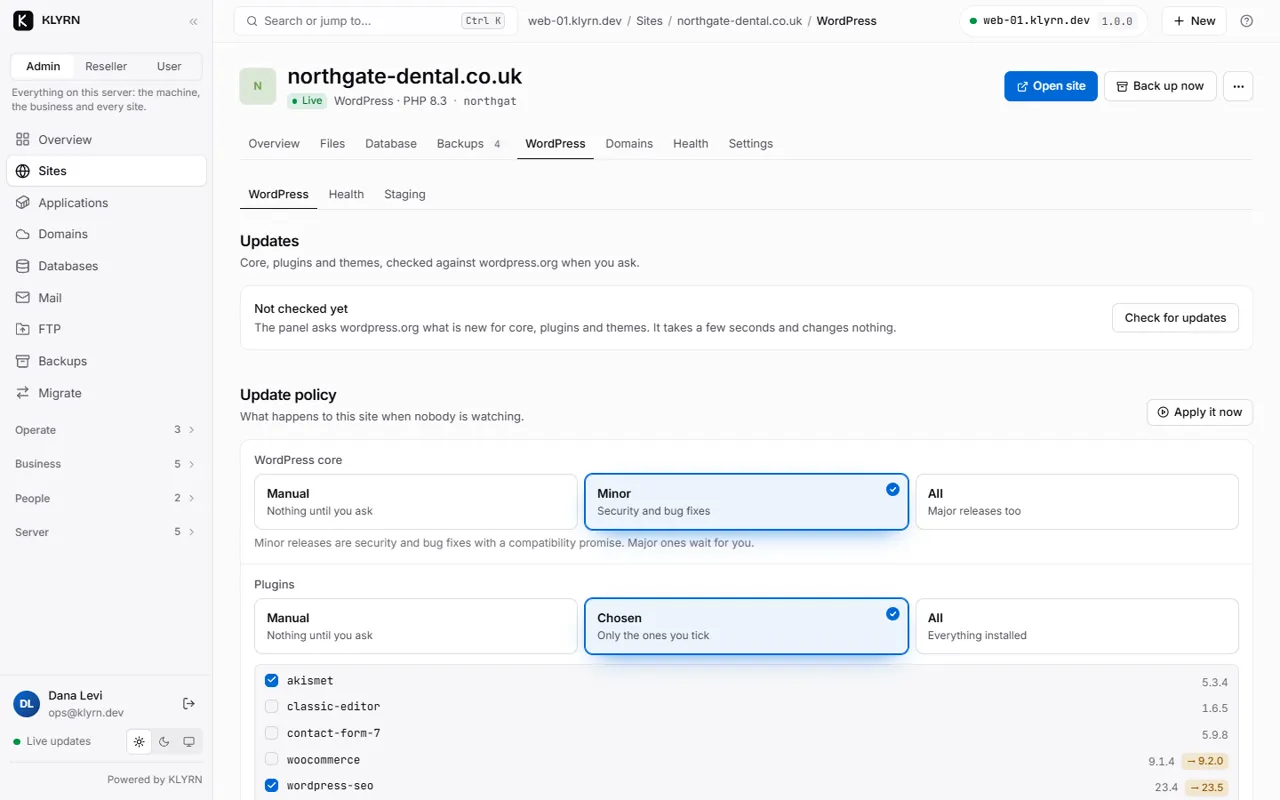
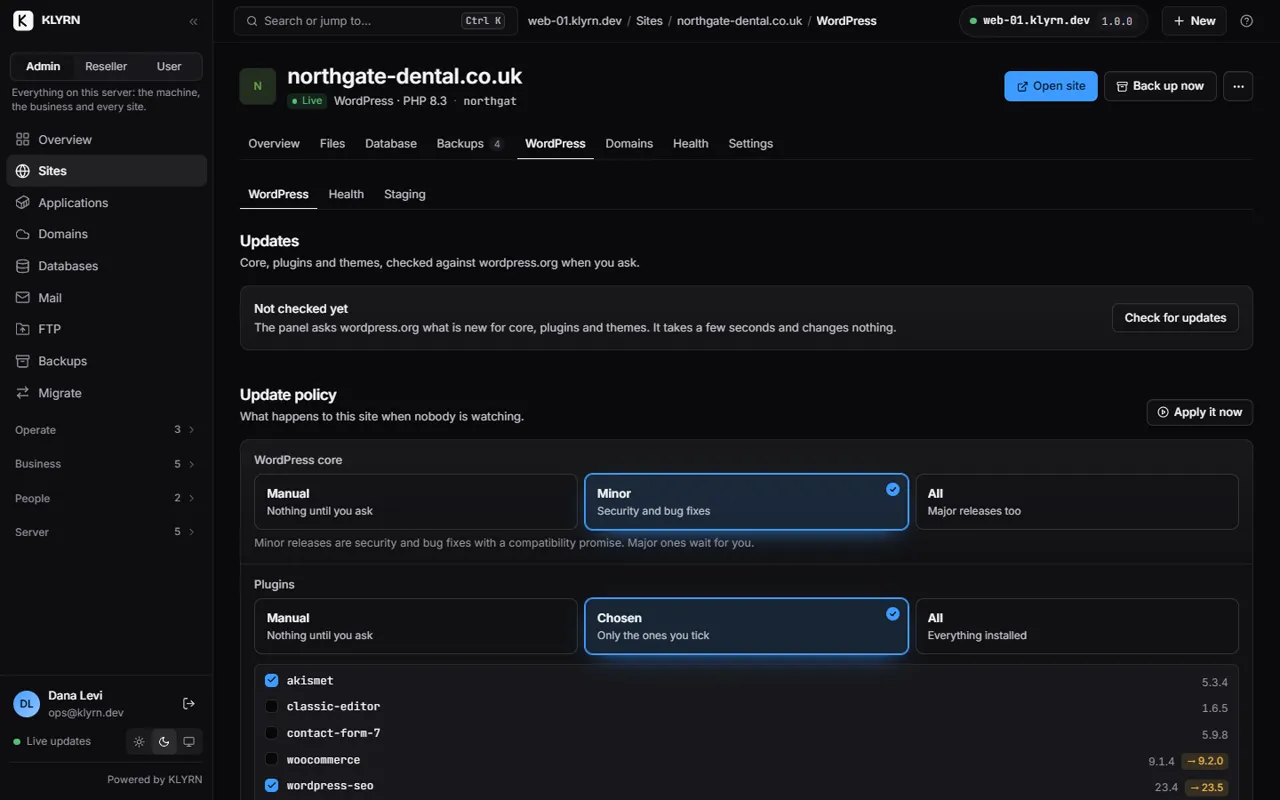
Core takes manual, minor or all. Plugins and themes take manual, a named selection, or all. The automatic pass runs at most once a day per site, and only between 02:00 and 06:00 in the server's own time.

It backs the site up first unless you turn that off, applies what is due, then fetches the site through nginx and reads the status code. Anything that is not a 2xx or 3xx fails the job.

job 61 · update all · m3.klyrn.com
Backup #10 verified, 20.4 MB
Core stays at 7.1
akismet 5.3 → 5.7.2 · checksums match
No themes installed (not an error)
m3.klyrn.com answers HTTP 200
recorded on the test server; the pre-update backup is named in the job

KLYRN does not roll a WordPress update back. A plugin update that broke the site cannot be undone by reversing a version number: the database may already have been migrated. When the check fails, the message names the pre-update backup, or says plainly that none was taken, if you switched it off.

Installing

One command, and the boring parts are already done.

klyrn site create example.com --type wordpress \
  --title "Example" --admin-user editor --admin-email you@example.com
isolation

Its own Unix user

One account, one Unix user, one PHP-FPM pool running as that user with open_basedir and exec off unless an administrator turns it on. One database user, granted on that database only. Another customer's PHP cannot read this site's files.

cron

A real scheduler

DISABLE_WP_CRON is set and replaced by a cron entry running every five minutes as the account user. WP-Cron that only fires when somebody visits is not a scheduler, and it is why scheduled posts on quiet sites arrive late.

no FTP prompt

FS_METHOD set to direct

WordPress never asks for FTP credentials to update itself, because the files are already owned by the user its PHP runs as. Fresh salts, a wp_ prefix, permalinks and the HTTPS address are all part of creating the site.

Compared

What the other panels document.

Every claim in this table comes from the vendor's own current documentation, linked below. Where a vendor's documentation does not describe something, that is what this says, not that the product cannot do it.

WordPress management, as each vendor documents it
  KLYRN cPanel Plesk DirectAdmin
WordPress management Built into the panel WP Toolkit, installed automatically on version 102 and later 1 WP Toolkit; free on Web Pro and Web Host, paid on Web Admin 2 WordPress Manager, after da build wpcli 3
Staging and cloning Both. Staging pushes back; a clone is independent Listed under WP Toolkit Deluxe, not the standard version 1 Documented; the staging copy is created as a subdomain 2 Not described in the WordPress Manager documentation 3
Analysis before an update Backup first, then verify the site answers afterwards Smart Updates, under Deluxe 1 Smart Updates, a paid premium feature that clones, updates and compares screenshots 2 Not described 3
Where the code comes from KLYRN's own, in the same binary Plesk's WP Toolkit, installed from wp-toolkit.plesk.com 1 Plesk's own extension 2 Third-party add-ons such as Installatron and Softaculous 4
  1. docs.cpanel.net: WP Toolkit (automatic installation on cPanel & WHM 102 and later; the standard-versus-Deluxe feature table, in which "Staging and Cloning" and "Smart Updates" appear only in the Deluxe column; and the documented installer URL on wp-toolkit.plesk.com). Read 2026-09-06.
  2. docs.plesk.com: WordPress Toolkit ("free with the Web Pro and the Web Host Plesk editions and is available for a fee for the Web Admin edition"; cloning creates a full copy and the staging use case is described; "Smart Update is a paid feature"). Read 2026-09-06.
  3. docs.directadmin.com: WordPress. The documented sections are installation, password reset, database-configuration management and removal, and the feature requires da build wpcli. The page does not describe staging, cloning, plugin or theme management, or update management. Read 2026-09-06.
  4. directadmin.com: extras and plugins. Installatron (Installatron LLC) and Softaculous (Softaculous Ltd.) are listed as third-party integrations. Read 2026-09-06.

Vendor documentation changes. Each source above records the date it was read; if you are checking a claim, follow the link rather than trusting this table.

Beta

One email when the paid editions go on sale.

The staging, health and update behaviour on this page is in the beta you can install today, free. This list is for the paid editions and the first stable release.

One email when pricing and the first release are announced. Nothing else.