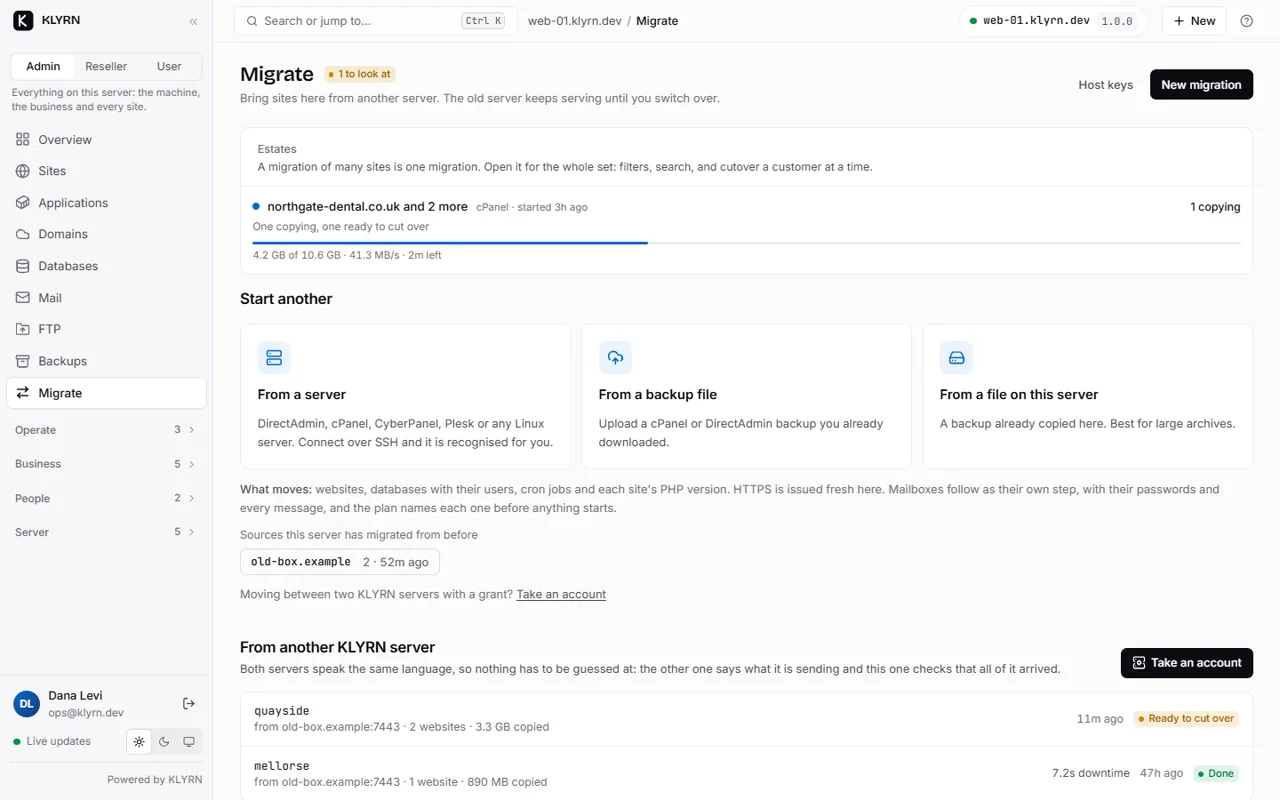
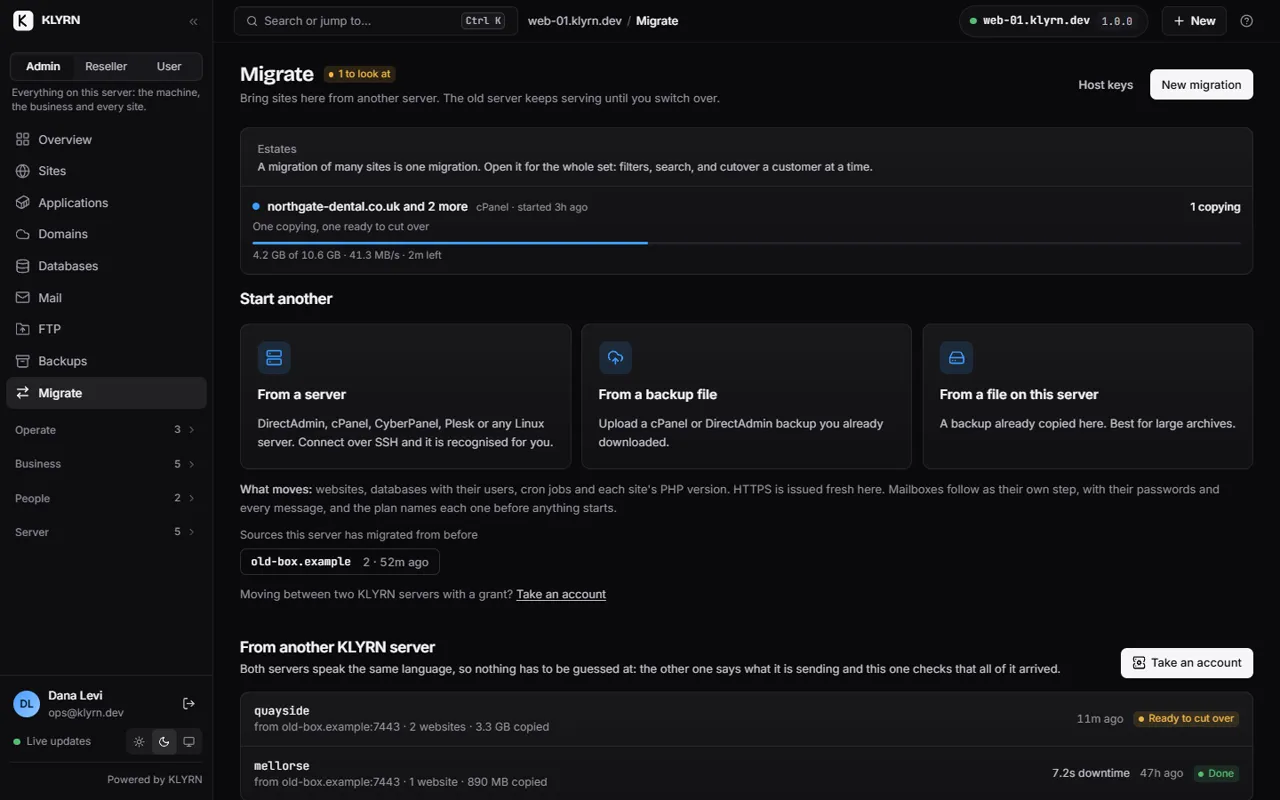
Migration
Move first. Change DNS when you're ready.
KLYRN reads a cPanel or DirectAdmin backup, or connects to the old server over SSH: as root, as the cPanel account, or as any Unix user. Nothing is installed there. The imported site is live on the new server, previewed and verified, before a single record changes.
Nothing is written until you have read the plan. Nothing on the old server is modified, ever.
If the plan looks wrong, you have lost an upload and nothing else. If the preview looks wrong, DNS has not moved.
Supported sources
Five ways in, decided by what your login can do.
You give KLYRN one file or one SSH login. What that login is allowed to do decides the route; you never choose the mechanism yourself.
| Source | What you give KLYRN | What KLYRN does on the source | Run end to end |
|---|---|---|---|
| cPanel backup archive | A pkgacct-layout archive, uploaded with progress. A nested homedir.tar is handled. |
Nothing. The archive is inspected before it is unpacked; absolute paths and .. are refused. |
Yes |
| cPanel over SSH, as root | Host, root login, the account name. | Confirms it is cPanel, checks free space, runs the server's own pkgacct, streams the archive, deletes the temporary copy. |
Yes |
| cPanel over SSH, as the account | Host and the cPanel user's own login. No root. | Asks cPanel's own API to package that one account, waits for it, streams the result, removes it. | Yes |
| DirectAdmin user backup | The user backup archive. The kind is detected from the archive itself. | Nothing. | Yes |
| Any server over SSH | A domain and an ordinary Unix login. No panel needed. | Tars the document root on the source and extracts it here as it arrives; reads wp-config.php or .env for database credentials; dumps the databases; copies the crontab. |
Yes |
Credentials. The SSH password or key exists only for the length of the job and is never written
to the database. The host key is accepted on first use unless you pin it with --fingerprint; the
fingerprint is printed in the job log so you can pin it next time. Encrypted private keys are not supported yet.
How it works
All five routes converge on one pipeline.
So the review you get is the same whichever way the data arrived, and the same in the panel and from the command line.
klyrn import cpanel /root/backup-acme.tar.gz
klyrn import show 1 # the plan
klyrn import apply 1 # the first thing that writes
- InspectThe archive is read before it is unpacked. An entry with an absolute path or a
..is rejected rather than sanitised. - ExtractAs the destination account, never as root.
- AnalyseEach document root identified as WordPress, Laravel, plain PHP or static. The PHP version mapped to one KLYRN has. Every
.htaccessdirective classified exactly once. Databases, users, grants, cron, DNS zones, certificates and mailbox counts read out. - PlanNothing has been written. Every domain, database, user and cron entry with its conflicts and warnings; you choose what comes across and under which account name. A Unix user called
shopalready here? The plan proposesshop2, re-prefixes the databases and rewrites the application's configuration to match. - ApplyThe account and its Unix user, the databases with their users recreated from the original password hashes, the files with the right ownership and the access-control entries nginx needs, a PHP-FPM pool, an nginx server block tested with
nginx -t, cron entries rewritten to their new paths. A certificate is queued per domain. - PreviewEvery name the site claims fetched from the new server's own nginx, redirects not followed, and the exact
curl --resolveand hosts-file lines to do the same from your machine. - VerifyEleven checks with their evidence, copyable as text. The overall result is the worst row.
- Cut overA table of exactly which records to change, and where.
Preview before DNS
Look at the migrated site while the old one is still serving the public.
The imported site is live on the new server the moment apply finishes, and nothing points at it yet. The preview asks that server for the site by name, the way a visitor will once DNS points here.
What the preview is not. It is a request to the new server. It does not fetch the old one and cannot tell you the two pages look the same. Comparing them is your job, and it is the step worth doing: a blank page returns HTTP 200.
$ curl -sS -I --resolve example.com:443:203.0.113.10 https://example.com/ HTTP/2 200 (served by the new server, before DNS moved) # /etc/hosts, to browse it in a real browser 203.0.113.10 example.com www.example.com
Verification
Eleven checks, each with its evidence.
Every check runs against the new server and returns passed, warning or action required. One action required, and the report says action required.
| Check | What it establishes |
|---|---|
| Files | The document root exists, has files, and they belong to the account. Files still owned by root are the classic leftover of an archive unpacked in the wrong place. |
| Databases | The databases are here with their table counts, and the application's own credentials open one. It reads wp-config.php and connects with what it finds. |
| Domains | Every name the site claims is in this site's vhost, rather than falling through to the server that answers for anything unclaimed. |
| Runtime | The thing that runs the site is running, and ran: PHP serving its own source as text is the failure this catches. |
| HTTP | What the primary name returns from this server, with the timing. |
| SSL | Whether there is a certificate and which names are on it. None before the cut-over is normal, and the row says so. |
| Redirects | Each redirect proved by asking for it, not by reading the configuration that was supposed to create it. |
| Cron | The scheduled tasks that came across, and the ones attached to the account rather than a site. |
.htaccess | Every directive accounted for, and whether a conversion has gone stale. |
| DNS | Only when you ask: where each name resolves today, against this server's address. Otherwise “not checked”, never an implied pass. |
| Where the MX records point, and an action if one of them points here. |
The report checks the new server, not the old one. It cannot tell you the two pages render the same; what “verified” means, precisely.
Cutover
In the order that works.
The old server keeps serving throughout. The one step people skip, and then wait a day for, is the TTL.
- Preview and verifyRead the report. Fix what it names.
- Lower the TTL at your DNS providerHours before the cut-over, not at it.
- Change the recordsThe cut-over table names them. If Cloudflare holds the zone,
klyrn dns pointwrites them. - Let the certificate arrive
klyrn site ssl example.com, or wait: the scheduler retries every ten minutes once the name resolves here. - Re-run the verification, asking for DNS this timeNow the DNS row means something, and SSL should have gone from expected to passed.
- Keep the old server for a weekLong enough for every cached record to expire and for anything you missed to surface while you can still look it up.
What happens to mail: nothing.
KLYRN does not host mail, by decision. Mailboxes, forwarders, autoresponders and filters stay with the provider that holds them today, and your MX records are never touched. The plan tells you how many mailboxes it found so the number is in front of you before you move, not after; the verification report marks an MX record pointing at the new server as action required, because KLYRN would refuse every message sent to it.
Why there is no mail server, and what else is deliberately absent
Corpus status
What is proven, and against what.
Tested against archives KLYRN wrote itself. No archive produced by a real cPanel or DirectAdmin server has been fed to it yet; that is the next step, and it has not happened. Each row below is a real run on the test server; the sources for the SSH routes were stand-ins that produce a genuine archive layout and answer the same commands cPanel documents.
| Route | What was run |
|---|---|
| cPanel archive | A 21 MB archive in pkgacct layout built from a live WordPress site: 3,343 files, 90.8 MB, detected as WordPress on PHP 8.3 with a RewriteRule found. After apply, the database user logged in with its original password and the site answered over HTTPS. |
| DirectAdmin archive | Account and plan recognised, database imported with its hash preserved, cron rewritten, site answering over HTTPS with a Let's Encrypt certificate. |
| cPanel over SSH, as root | Host-key fingerprint recorded, cPanel version detected, free space checked, pkgacct run, 21.2 MB streamed with progress, temporary archive removed from the source. A working WordPress site under a renamed account. |
| cPanel over SSH, as the account | cPanel's own full-backup API started, packaging awaited, 21.2 MB streamed and removed from the source. A working site with a Let's Encrypt certificate. |
| Any server over SSH | 100.7 MB of files copied (26.0 MB on the wire), the database discovered in wp-config.php and dumped, the crontab copied. Apply: 3,343 files, database user restored with the discovered password, site on HTTPS minutes later. |
.htaccess translation |
22 directives classified; the generated nginx passed nginx -t; a deliberately broken sibling file proved the rollback. |
How long the site is down
A migration used to be one pass: everything copied while the old site was already switched off. Now the files and databases are copied while the old server keeps serving, and a second pass moves only what changed since. The downtime is that second pass.
These are measured, on one disposable VPS (3 vCPU, 5.9 GB,
Ubuntu 24.04, MariaDB 10.11) with
bash scripts/migrate-bench-suite.sh, every figure rendered from the
run’s own JSON rather than typed in. Source and destination are the
same machine, over an SSH connection to 127.0.0.1: that
removes network time entirely, so these measure KLYRN’s CPU, disk and
engine overhead and not a real move between two servers. On a real link the
first pass takes longer and the second pass (the part you are down for)
changes least, because it is mostly the database.
| What was moved | One pass, all downtime | Two passes, downtime | Change |
|---|---|---|---|
| 4 × 1 GB files | 83.54 s | 0.36 s | 232× faster |
| 5.1 GB mixed site + 198 MB database | 112.68 s | 6.21 s | 18× faster |
| 200,000 small files (781 MB) | 46.64 s | 3.17 s | 15× faster |
| WordPress, 1.64 GB + 157 MB database | 38.87 s | 4.75 s | 8× faster |
| 1.05 GB mixed site + 198 MB database | 27.80 s | 6.42 s | 4× faster |
| Five small databases (99 MB) | 4.61 s | 4.54 s | no material change |
| One 1.59 GB InnoDB database | 54.27 s | 52.94 s | no material change |
The last two rows are the honest limit of the feature and they are printed here for the same reason they are in our own report: a database has no safe incremental copy without access to the source’s binary log, which a migration does not get. So the second pass takes a fresh consistent dump and re-imports it: 41 of that 53 seconds is the import. If your site is mostly one large database, the two-phase engine moves your files early and your cutover is still about as long as your database takes. It is not “zero downtime”, and we will not call it that.
If you run cPanel or DirectAdmin and are willing to send a real backup of a test account through this, say so on the waitlist. One real archive is the most useful thing anyone outside this project can do for it.
Questions
Before you type a password.
- Does KLYRN install anything on my old server?
- No. It connects over SSH, runs the tools the server already has, streams the result, and deletes any temporary archive it created. Nothing is installed and nothing is left behind.
- Do I need root on the old server?
- No. Root lets KLYRN use cPanel's
pkgacct. Without it, a cPanel account can package itself through cPanel's own API, and on any other server an ordinary Unix login is enough for the files, the databases and the crontab. - Will my database passwords change?
- No. Users are recreated from the original password hash, so the credentials in your application's configuration still work.
- What about
.htaccess? - nginx does not read it. KLYRN reads it for you: every directive line is classified exactly once as converted, needs review, or not possible, and the converted nginx is shown to you and tested with
nginx -tbefore you apply it. A WordPress front-controller block needs no equivalent; forced HTTPS is recognised as already done. - How large an account can it move?
- Files are streamed rather than buffered, and the destination's free disk is checked before the copy starts. The largest single transfer exercised so far was a 1.1 GB backup archive copied to object storage in parts, each part checksummed. There is no configured ceiling.
- What if the SSH session drops halfway?
- Today the copy starts again from the beginning; there is no checkpoint. The old server is untouched either way, so a dropped session costs time and nothing else. A resumable, two-phase copy is being built and measured; this page will state the numbers when they exist, not before.
Not moving yet?
Hear when the first stable release is signed.
Migration is in the free beta today. If you would rather wait for a stable release, leave an email and you will get exactly one message when it and its prices are announced.
One email when pricing and the first release are announced. Nothing else.